iServices is a digital agency based in Thessaloniki, Greece, offering services in web development, e-shops, mobile app development as well as digital marketing SEO and advertising on Google, Facebook and Instagram
Project's brief & challenges
iServices Hub was developed to solve a recurring problem in our agency. Many clients were contacting us daily through calls and emails because their hosting or domain had expired. Since we don’t directly provide hosting but work with providers, we often spent unnecessary time trying to recover sites, negotiate with providers, or even rebuild websites at a discount to avoid losing clients.
We also noticed we were spending resources reminding clients about payments for our services. This constant back-and-forth created stress for the team and wasted time that could be spent on actual projects.
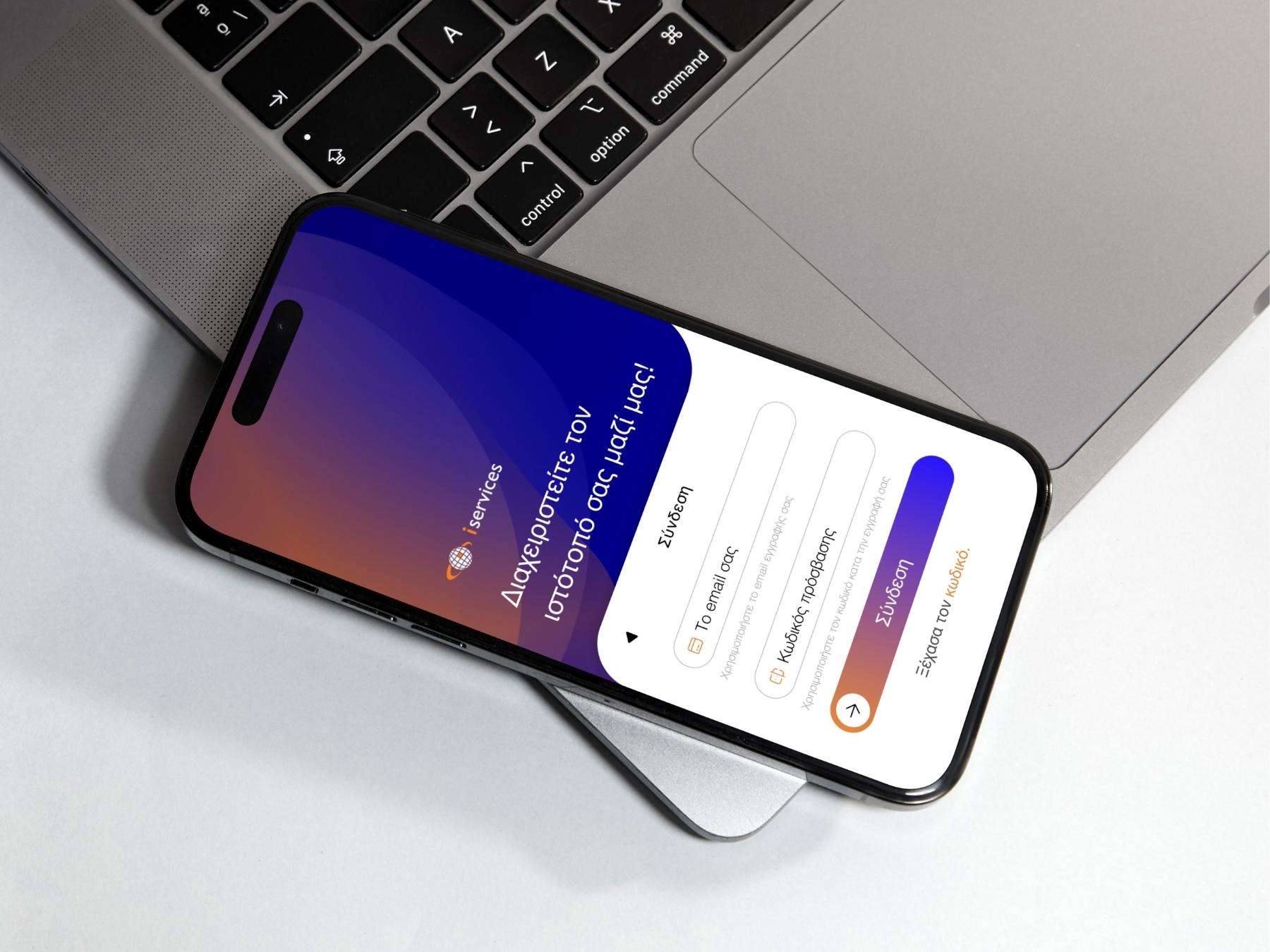
To solve this, we created iServices Hub – a platform where our clients can easily manage all their services with us, see payment status, get notified about domain/hosting expirations, and contact us directly through tickets or chat instead of phone calls.





Key Issues
Clients forgetting to renew hosting/domains.
Sites going offline due to missed payments.
iServices wasting time contacting clients about overdue payments or technical issues.
Many phone calls and emails that disrupted our workflow.
No single hub where clients could track their services and. subscriptions.
Project Goals
Build a centralized platform where clients can:
View and manage all their services with iServices.
Receive notifications for hosting/domain renewals.
Request new services.
Update and complete payments directly.
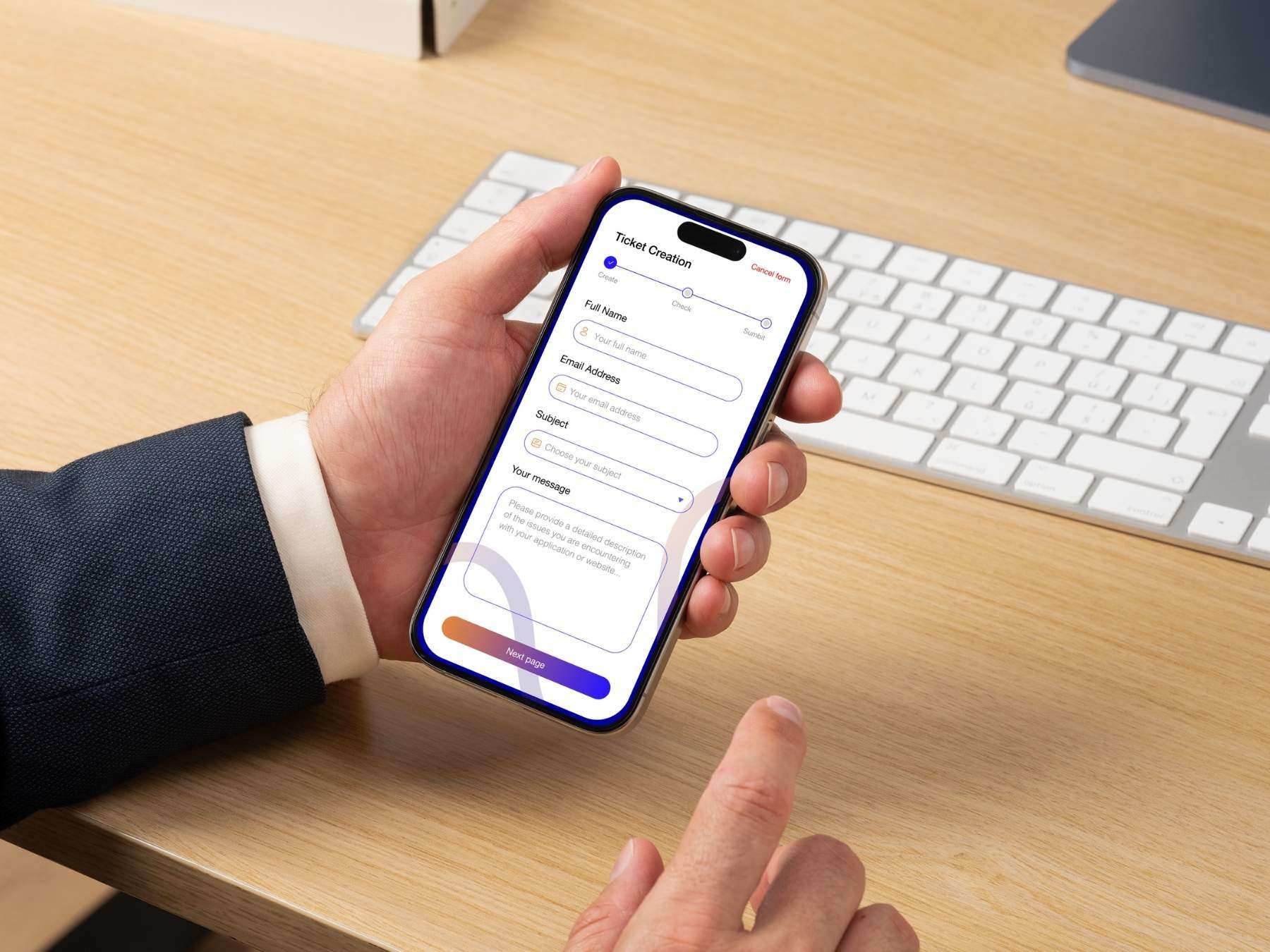
Open support tickets and chat with us instead of calling.
Reduce time spent by our team on repetitive communication.
Improve client satisfaction and independence.
Ensure the design is accessible, simple, and user-centered.
Design Process - Design Thinking Framework
We followed the Empathize – Define – Ideate – Prototype – Test framework.
User-Centric Approach
From start to finish, the design process was user centered. Every decision from defining the problem to building wireframes and testing prototypes was guided by the users’ pain points and goals. We worked to ensure the Hub was not just functional, but accessible, equitable and easy to use for clients with varying levels of technical knowledge.
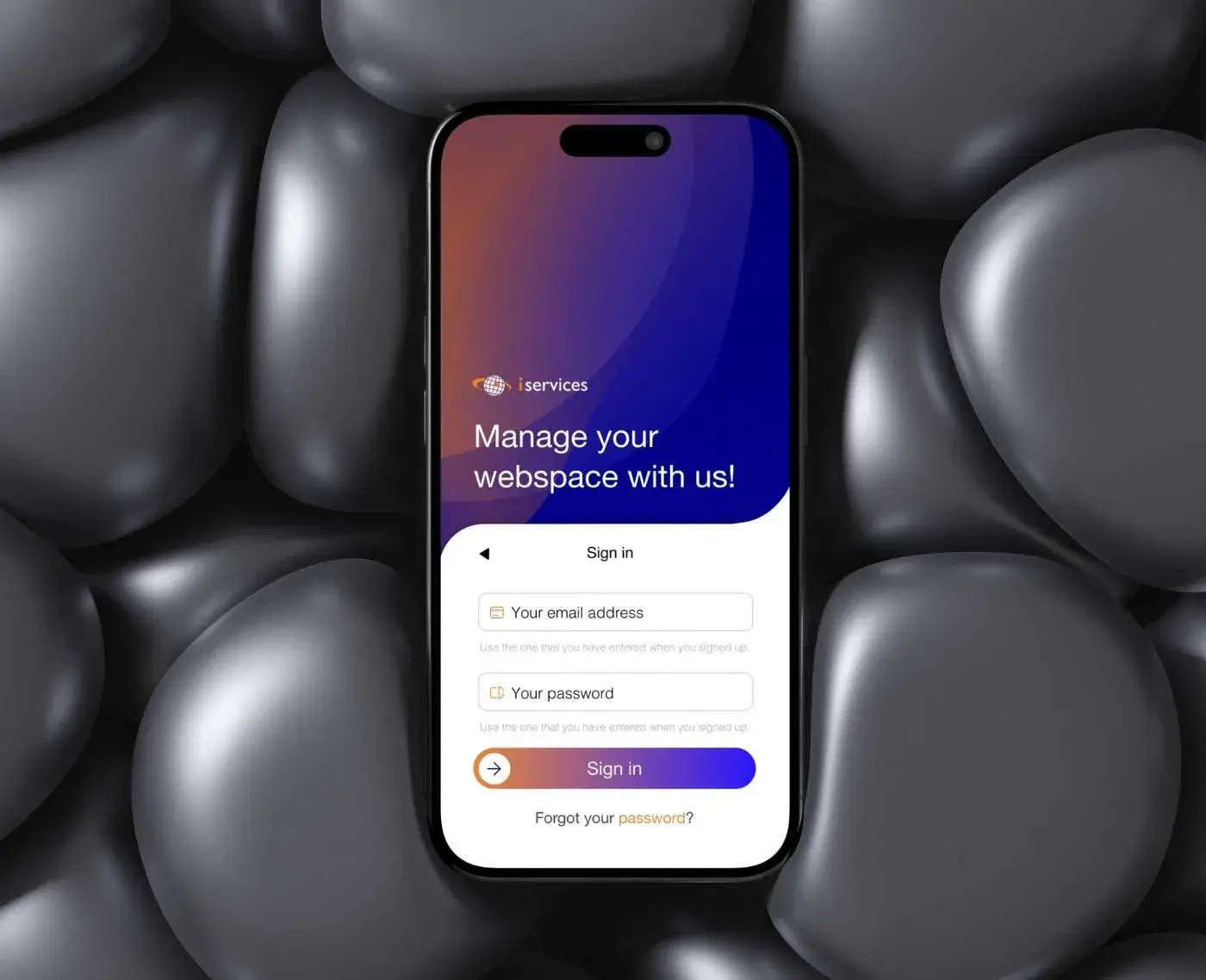
01 Empathize
Stakeholder Interviews: Talked with managers to understand business goals, timeline, and budget.
Market Research: Looked at competitors and studied what users were saying about similar tools..
Customer Feedback: Reviewed past complaints, support requests, and common issues.
02 Research & Empathy
Qualitative Research: Interviews with a small group of clients (due to budget restrictions).
Quantitative Research: Surveys to get broader insights.
Pain Points Identified:
Confusion about hosting/domain expirations.
Lack of reminders.
Frustration with calling/emailing for support.
Not knowing what services they currently have active.
This mix of methods gave us both stories and numbers. A full picture of the problem.
User Stories
As a client, I want to see all my services in one place so I know what I’m paying for.
As a client, I want to get notified when my hosting/domain is about to expire so my site won’t go offline.
As a client, I want to open a support ticket or chat so I don’t need to call.
As a client, I want to update my payments quickly so I don’t fall behind.
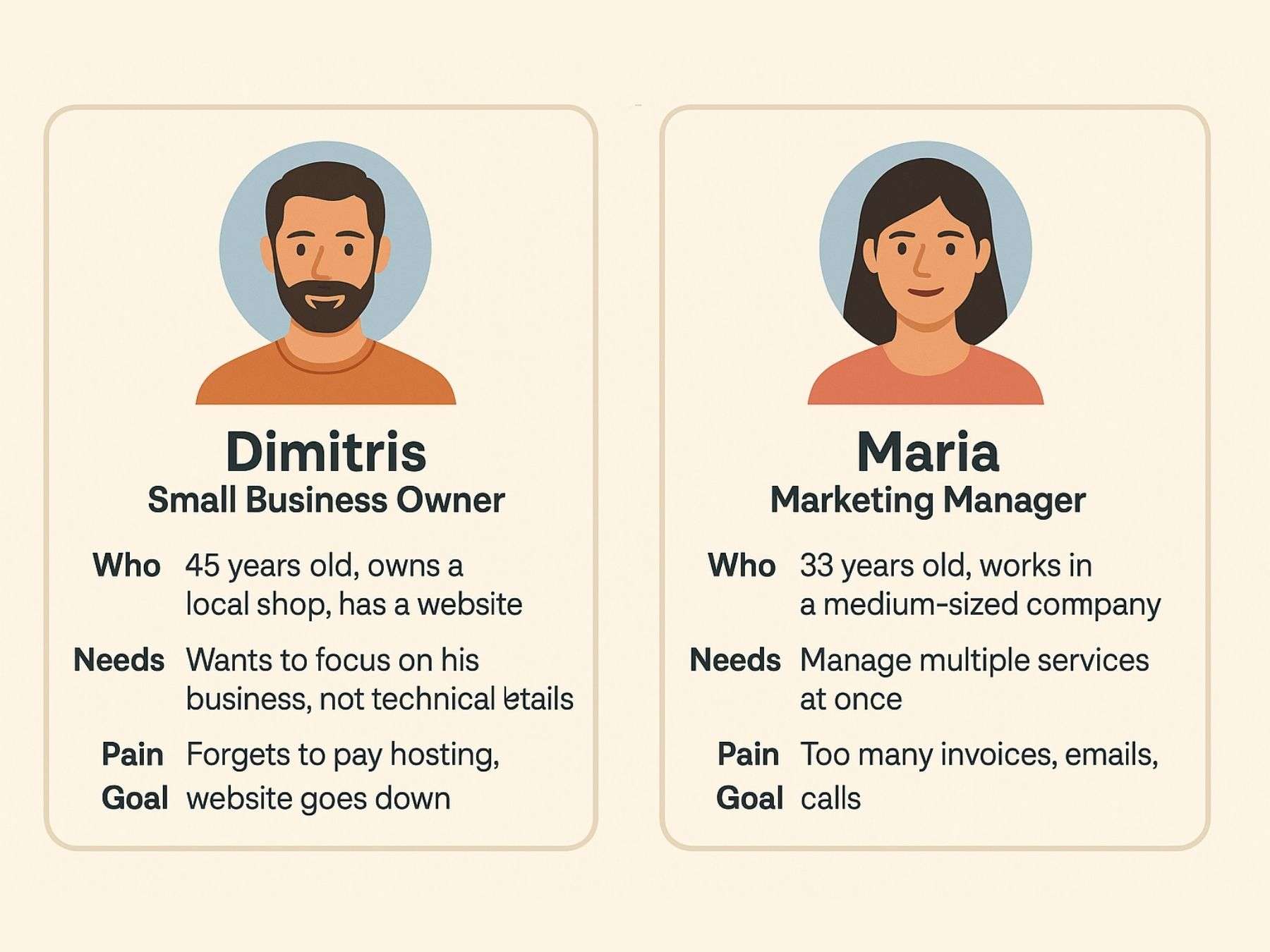
User Personas
Persona 1: Dimitris (Small Business Owner)
Who: 45 years old, owns a local shop, has a website.
Needs: Wants to focus on his business, not technical details.
Pain: Forgets to pay hosting, website goes down.
Goal: Receive clear reminders, pay fast, keep site online.
Persona 2: Maria (Marketing Manager)
Who: 33 years old, works in a medium-sized company.
Needs: Manage multiple services at once.
Pain: Too many invoices, emails, calls.
Goal: Have one dashboard to track everything and communicate easily.
03 Define
Created a problem statement: “Clients struggle to manage renewals and payments, leading to downtime and wasted resources for both sides. iServices needs a hub that simplifies management, reduces dependency on calls, and ensures clients can stay on top of their services.”
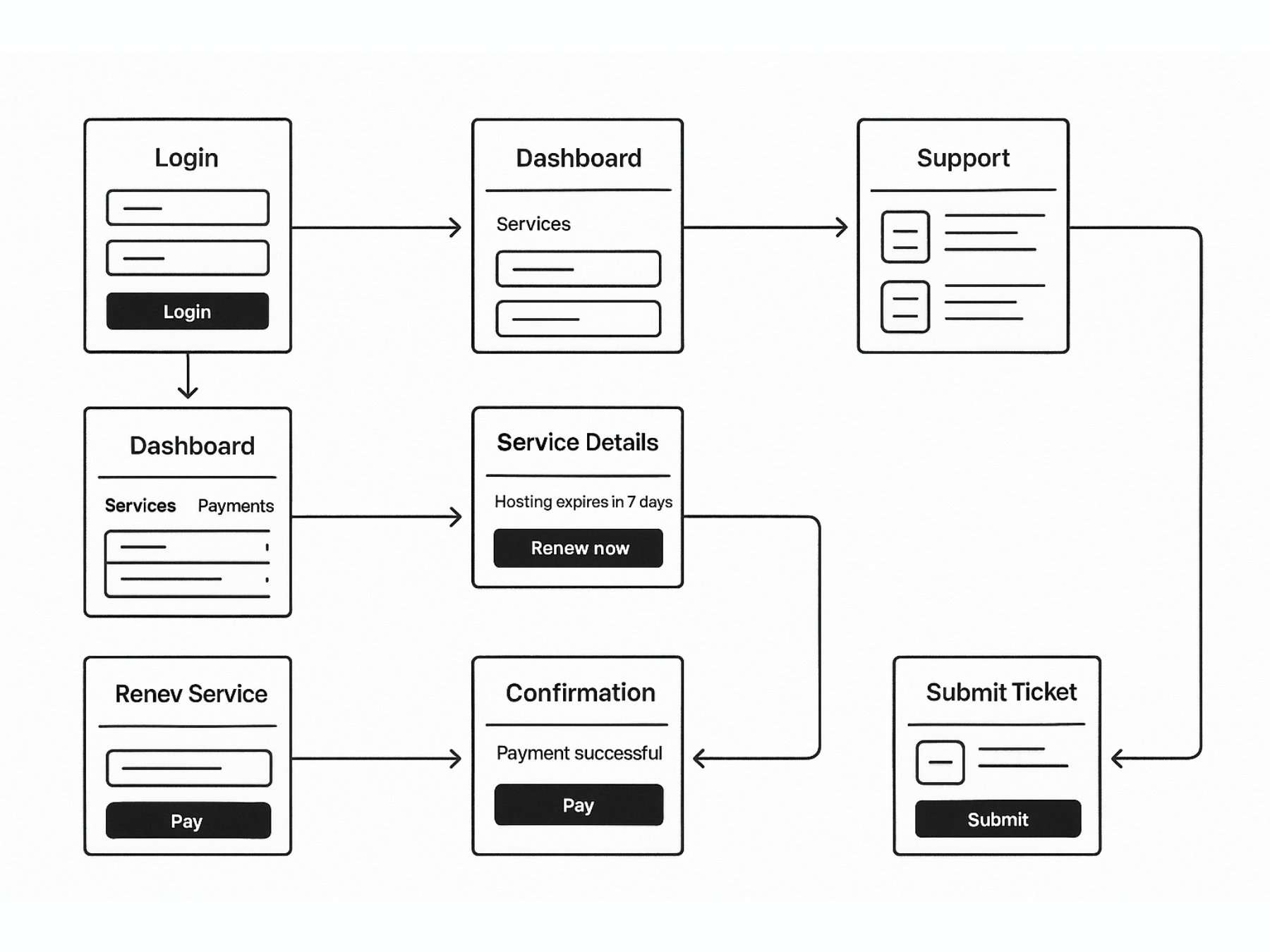
Part of Users Flow
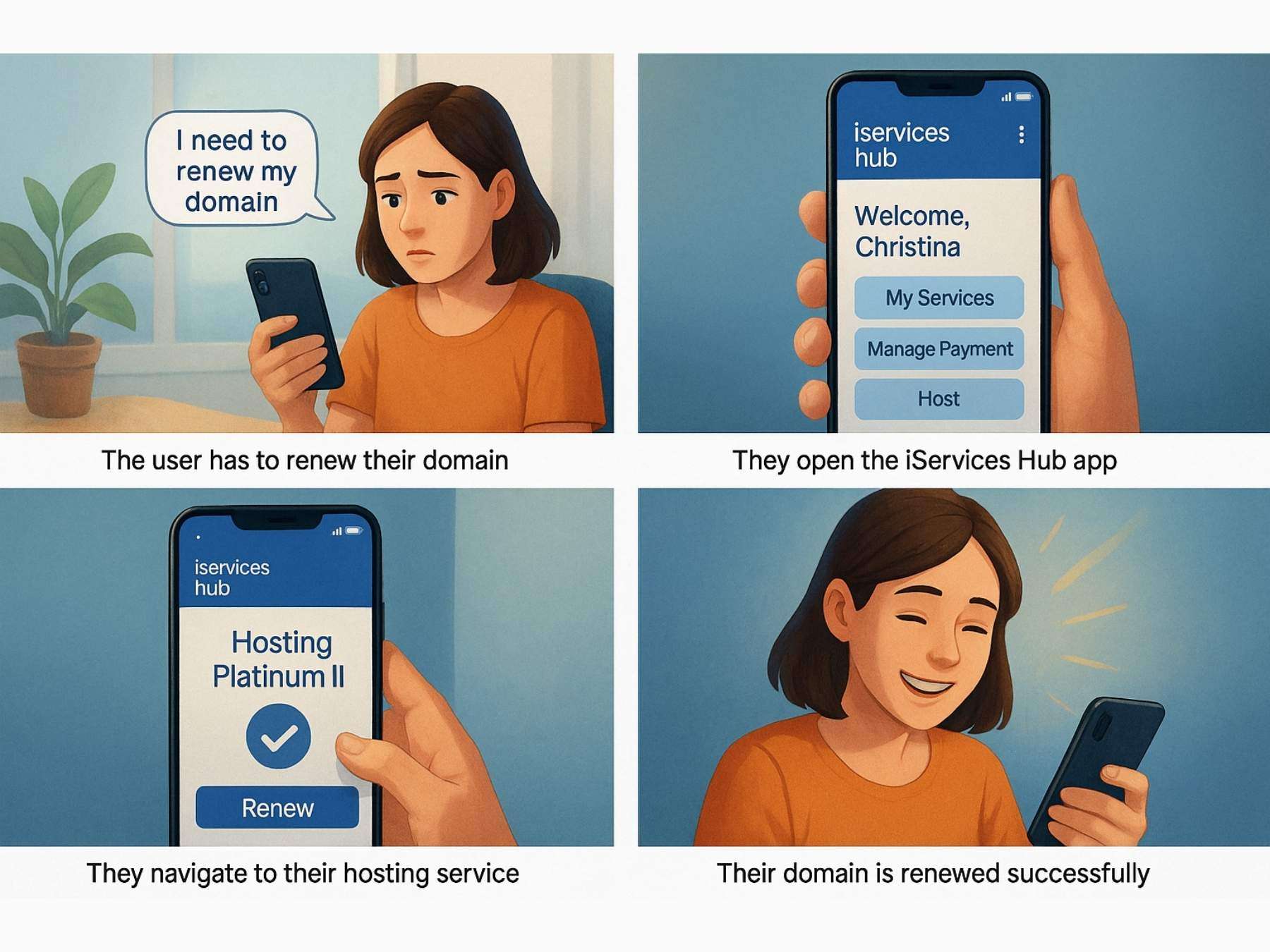
Part of Storyboard
04 Ideate
At this stage, we focused on generating possible solutions. Since the problem was clear — clients forgetting renewals, confusion around services, and wasted communication time — we held short brainstorming sessions within the team.
We sketched different flows for how users could see services, renew quickly, and contact us without calling.
We compared ideas against the personas and their pain points, ensuring accessibility and simplicity were always at the center.
A/B concept sketches helped us narrow down the flows that felt most intuitive.
The goal wasn’t just to make it functional, but to make it equitable for all users, regardless of technical knowledge.
05 Design
Moving from ideas to concrete design:
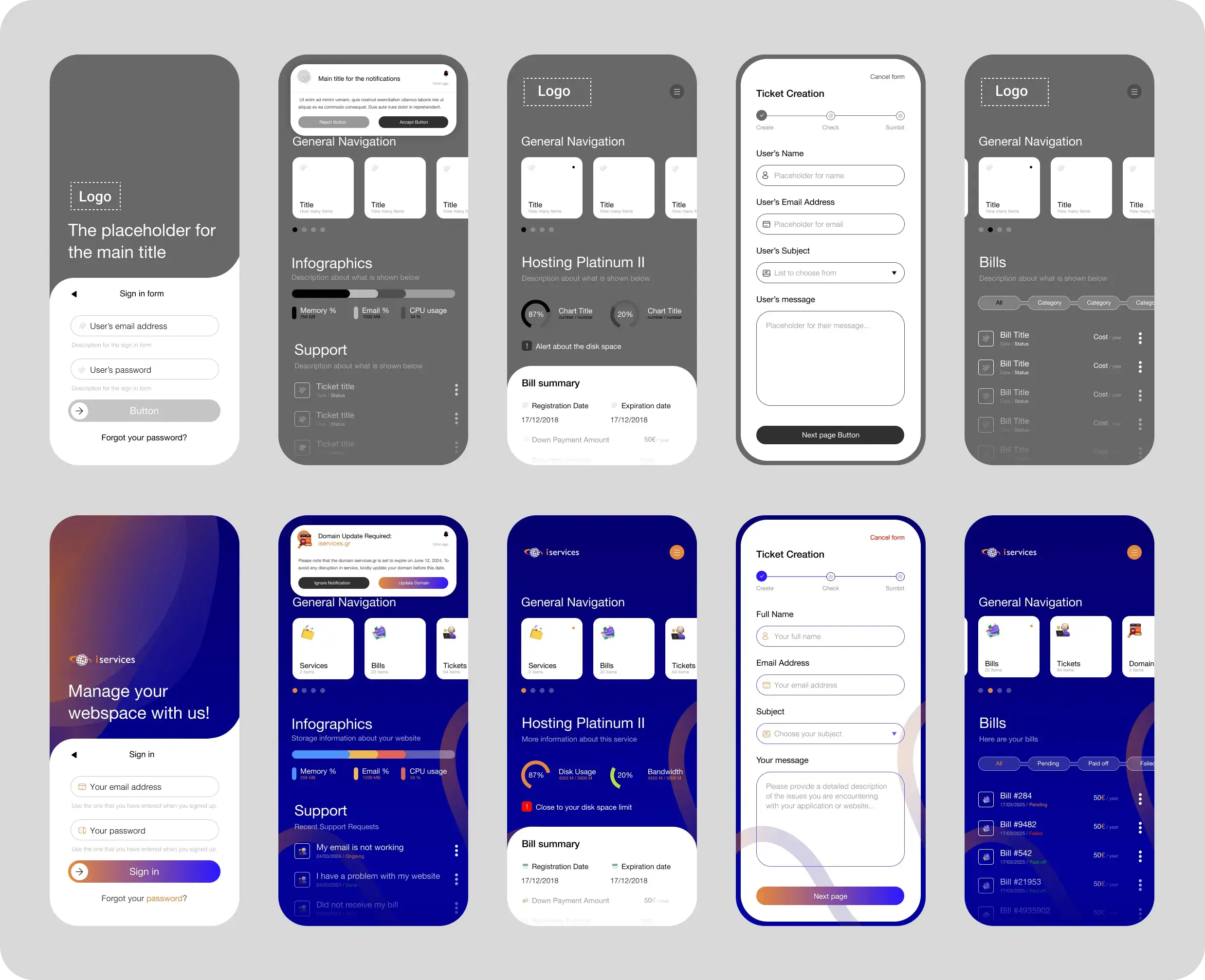
We started with information architecture, mapping clear navigation between “Services,” “Payments,” and “Support.”
Low-fidelity wireframes were created to test layouts and task flows quickly.
After feedback, we moved to high-fidelity mockups, applying iServices branding, color palette and visual hierarchy.
A/B testing was conducted on key screens (like the dashboard and payment flow) to confirm usability choices.
The design stage wasn’t about making things “look pretty” it was about ensuring clarity, reducing cognitive load and giving users confidence when managing their services.
Wireframes & Design Direction
The design direction was not arbitrary but it was grounded in the insights we collected during the above steps.
Clarity over complexity: Since many of our clients (like Dimitris, the small business owner persona) are not technical, we prioritized a clean and minimal interface. The focus was on showing only what was essential (services, payments, support) without overwhelming them.
Accessibility and equity: From the start, we aimed for a design that was usable by everyone, regardless of digital skills. This influenced our choice of large buttons, plain language labels and step-by-step flows.
Reducing cognitive load: Research showed that clients felt stressed when juggling invoices and reminders. To counter this, we used dashboards with summaries, avoiding scattered or hidden information.
Consistency with brand: The visual style aligned with iServices’ existing identity, but was adapted to feel more app-like and action-driven, encouraging quick interactions.
Testing feedback: Early usability tests revealed confusion around navigation, so we simplified the menu into three main categories: Services, Payments, Support. This structure came directly from user pain points.
By grounding design choices in user research and business goals, we ensured the final product wasn’t just attractive, but functional, reassuring and user centered.
05 Test & Launch
Alpha & Beta Testing
Alpha tested internally and with stakeholders to ensure alignment.
Beta released to 30 clients.
Collected KPIs on usability and task completion.
Core Features of iServices Hub
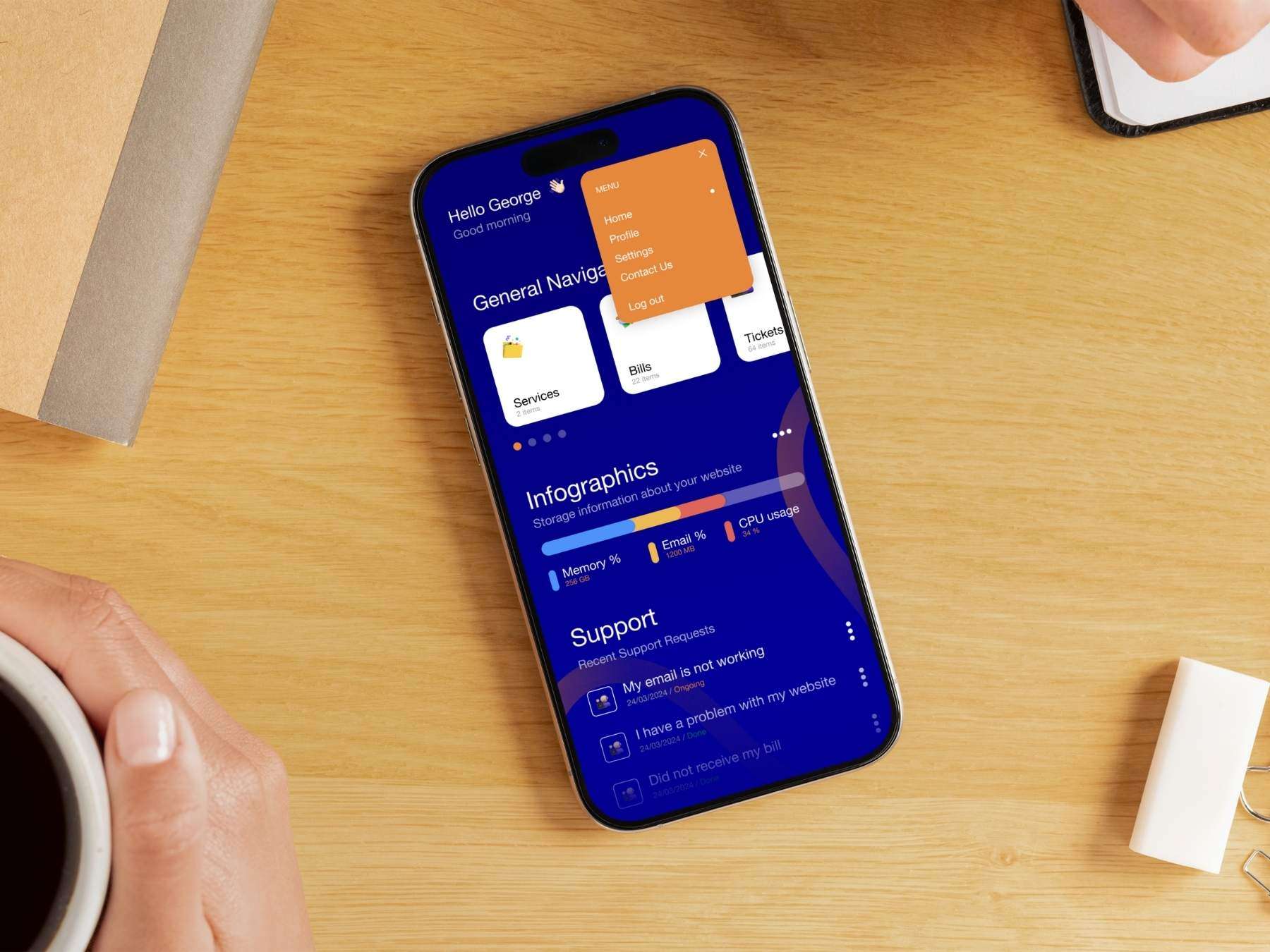
Dashboard with all active services.
Notifications for hosting/domain expirations.
Payment updates & renewal system.
Ability to request new services.
Open tickets & live chat with support.
Grace period feature for smoother management.
Market Context & Competitor Analysis
The context around iServices Hub was clear: while many hosting providers (e.g., SiteGround, GoDaddy, Bluehost) offered basic client dashboards, they were often too technical and not focused on non-expert users.
Competitor observations showed:
Hosting dashboards were designed for IT professionals, not business owners.
Most platforms lacked integrated ticket/chat support — forcing users back to email or calls.
Payment reminders were often hidden in email clutter rather than centralized in the app.
No tool combined service management + payment + communication in one place for small business clients.
This revealed a market gap: clients of digital agencies (like ours) needed a simpler, all-in-one hub that bridges the agency and the hosting provider. That gap was the foundation of the Hub.
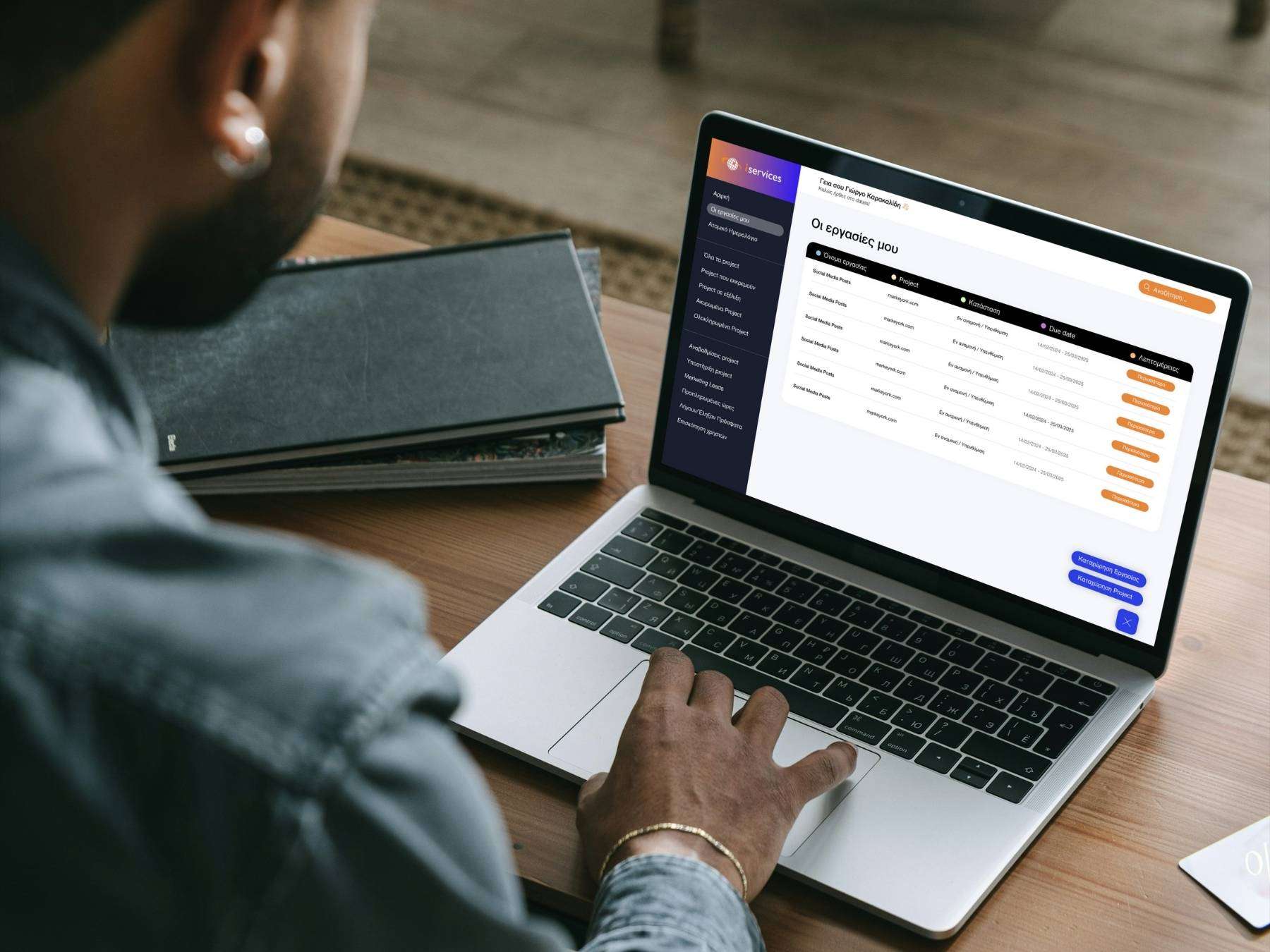
Project Outcomes
85% of users now manage their services independently.
60% fewer calls and emails to our office.
Clients reported feeling “in control” of their services.
Our team saved hours each week, freeing time for core projects.
Increased trust between clients and agency.