DataIS
datais.gr
Technologies and resources behind the project.

Elementor Pro

Figma

Miro

Adobe Illustrator
Got a project in mind?
DataIS
datais.gr
iServices is a digital agency based in Thessaloniki, Greece, offering services in web development, e-shops, mobile app development as well as digital marketing, SEO and advertising on Google, Facebook and Instagram
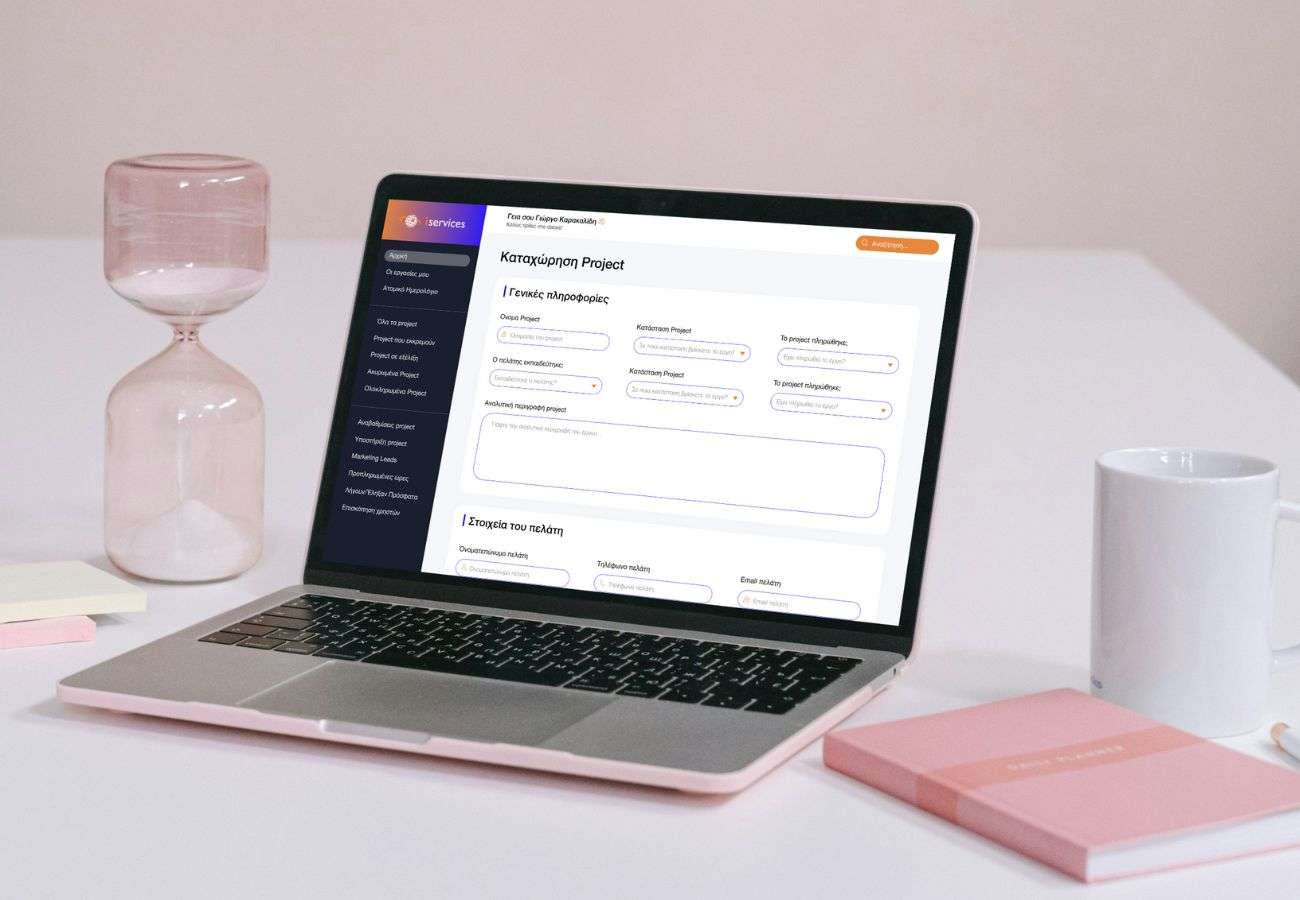
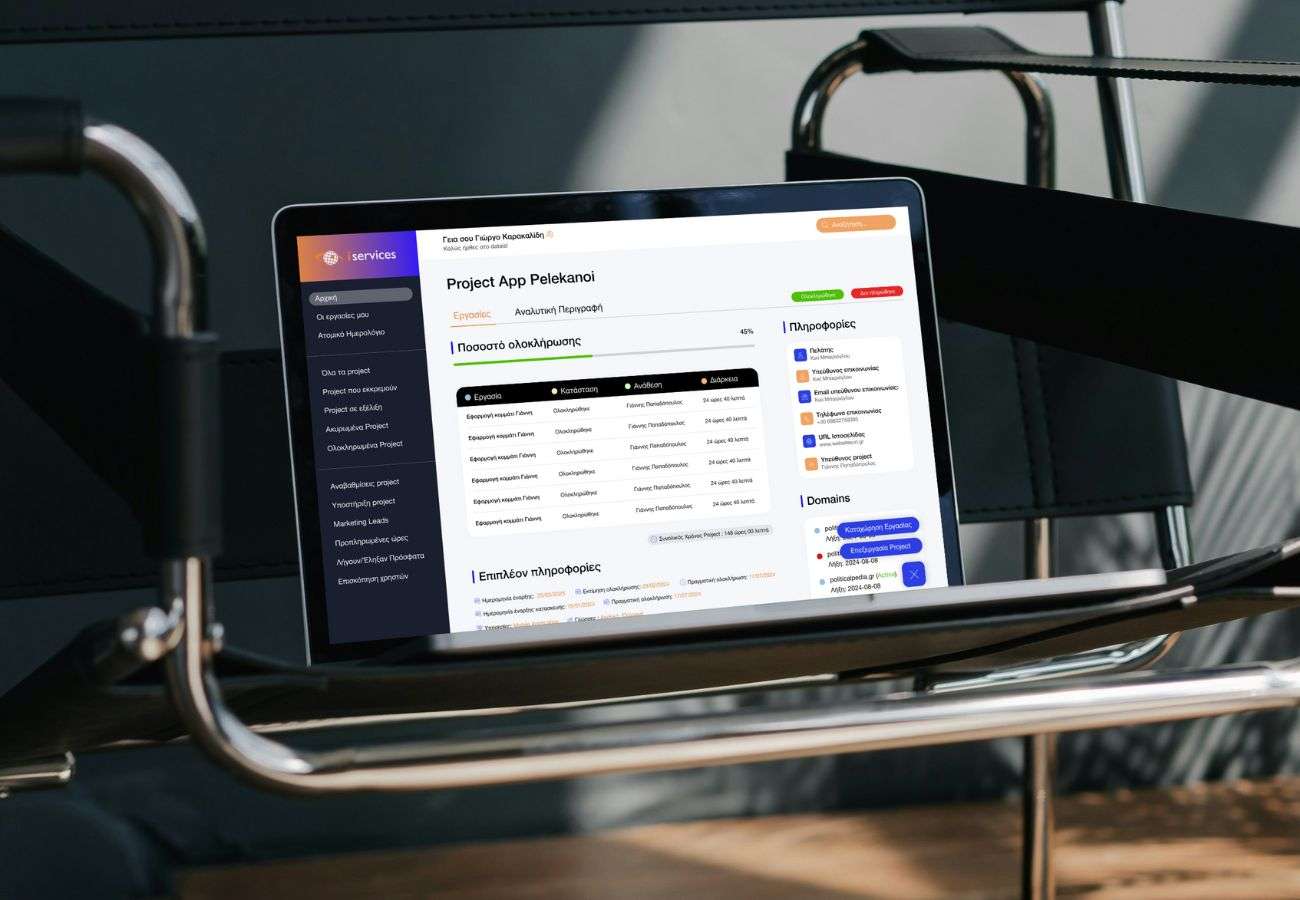
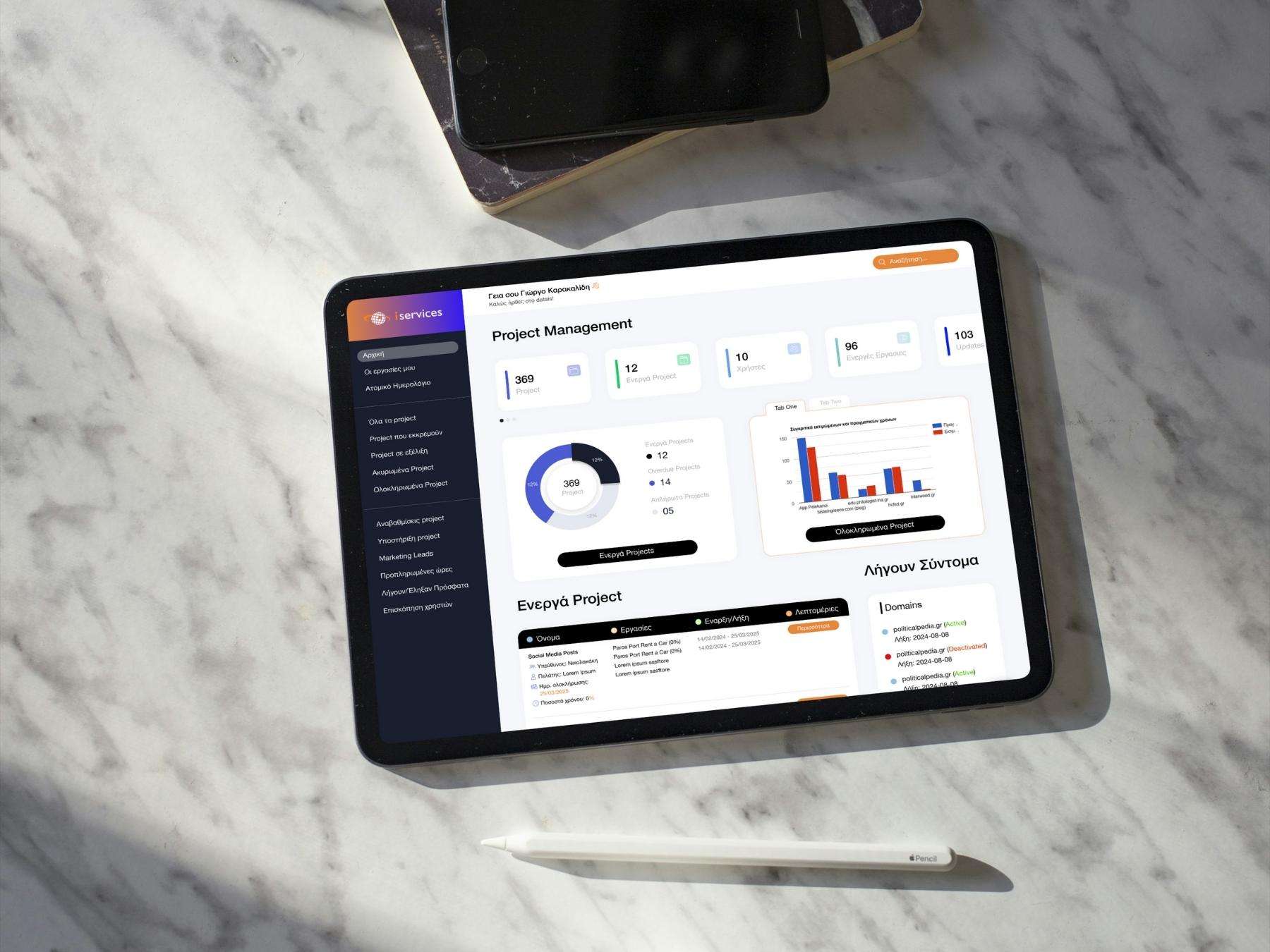
Datais is an internal web application built for iServices, a digital agency based in Thessaloniki, Greece. The agency offers web development, e-shops, mobile apps, SEO, and digital marketing, but like many fast-paced teams, they faced challenges in managing their own internal operations.
Employees and managers struggled with task tracking, project creation, scheduling and communication. Tools felt outdated, navigation was confusing and too much time was wasted on manual processes. Managers carried an uneven load since they were the only ones with access to meetings and event information.
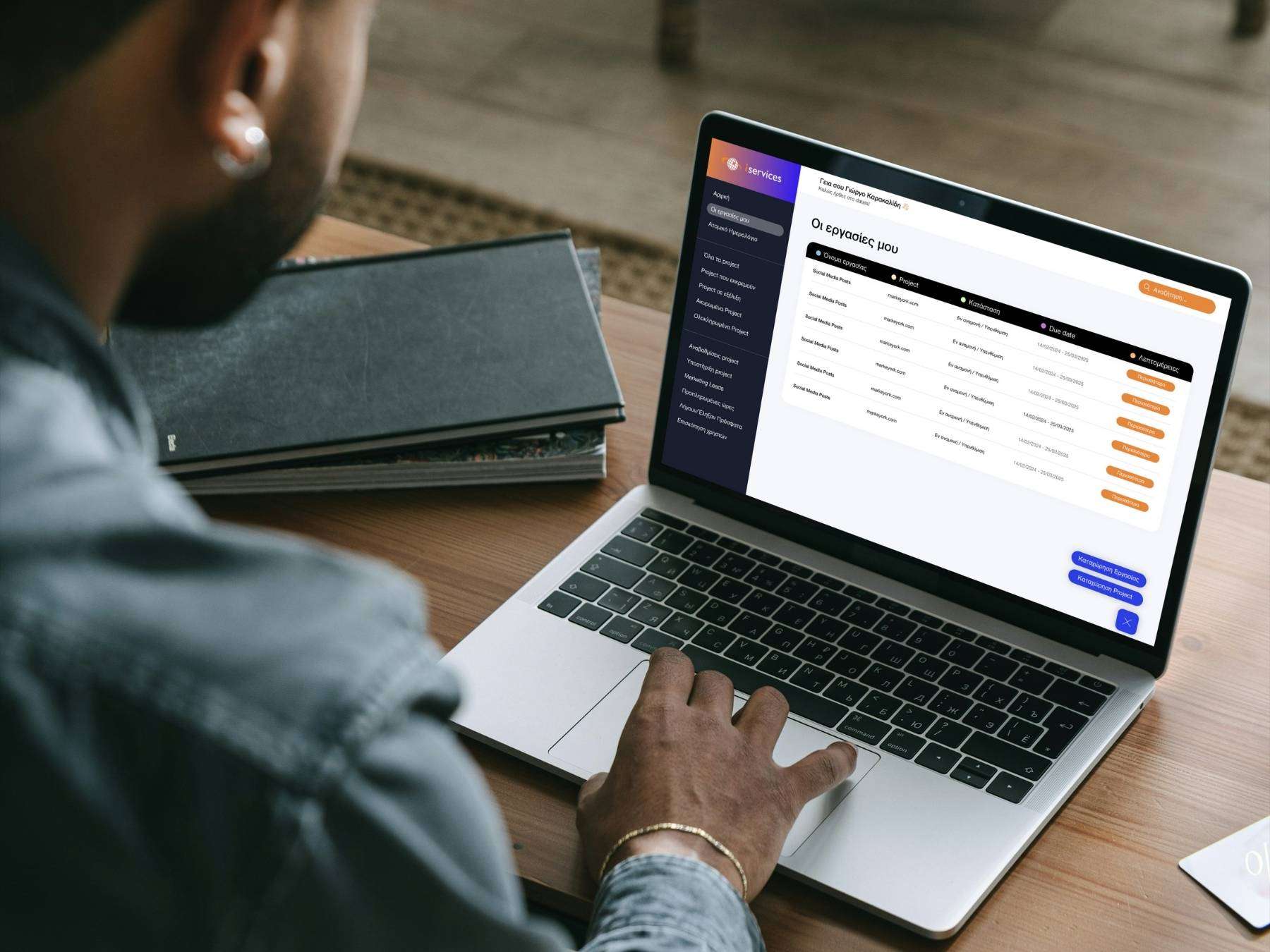
To address these issues, we designed and developed Datais — a centralized hub for project management, task tracking, scheduling and internal collaboration. The goal was to make internal work more efficient, transparent and user-friendly.
Key issues
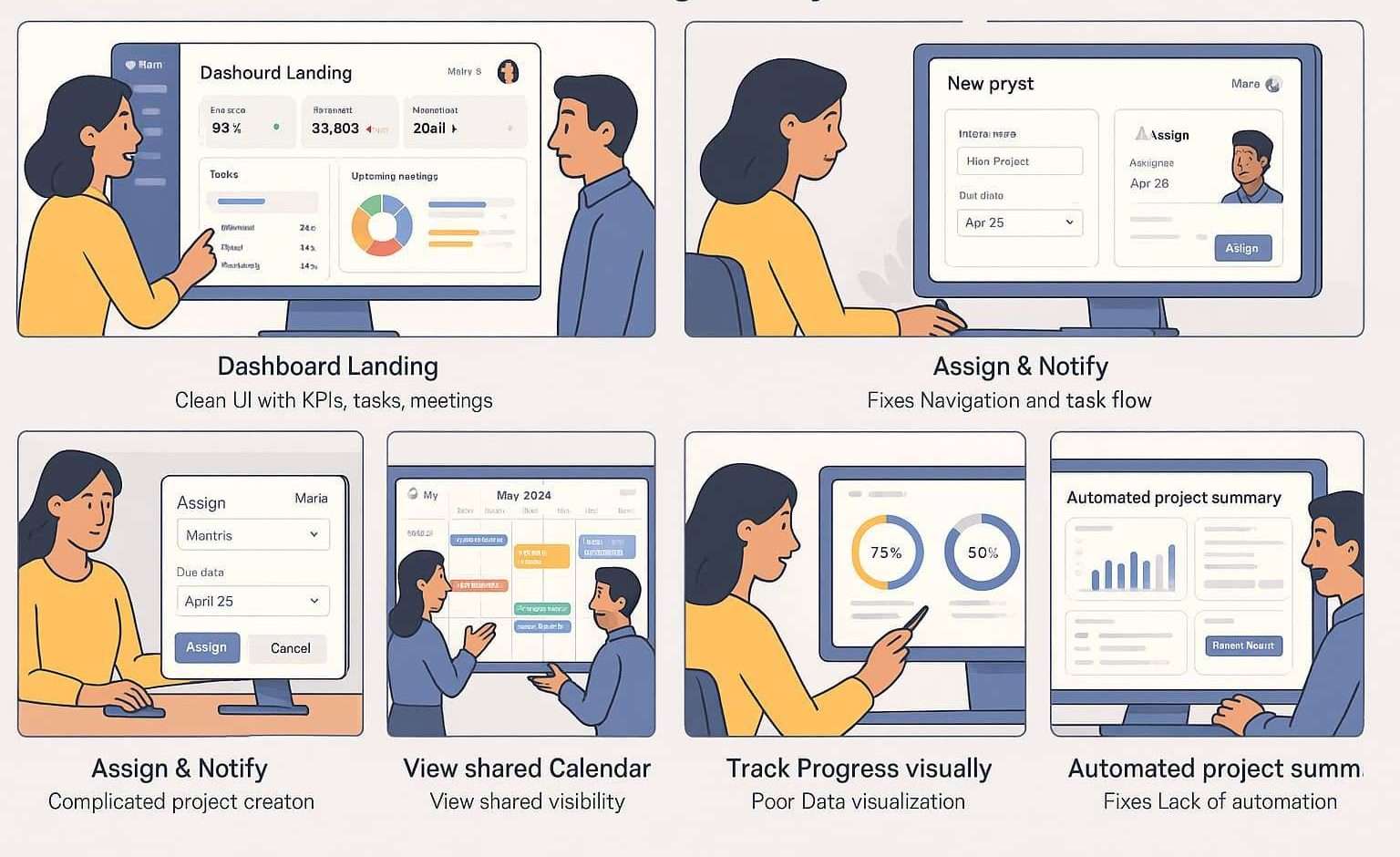
Outdated design that didn’t meet modern usability standards.
Cluttered interface and poor navigation.
Complicated and error-prone project creation flow.
Manual processes with no automation.
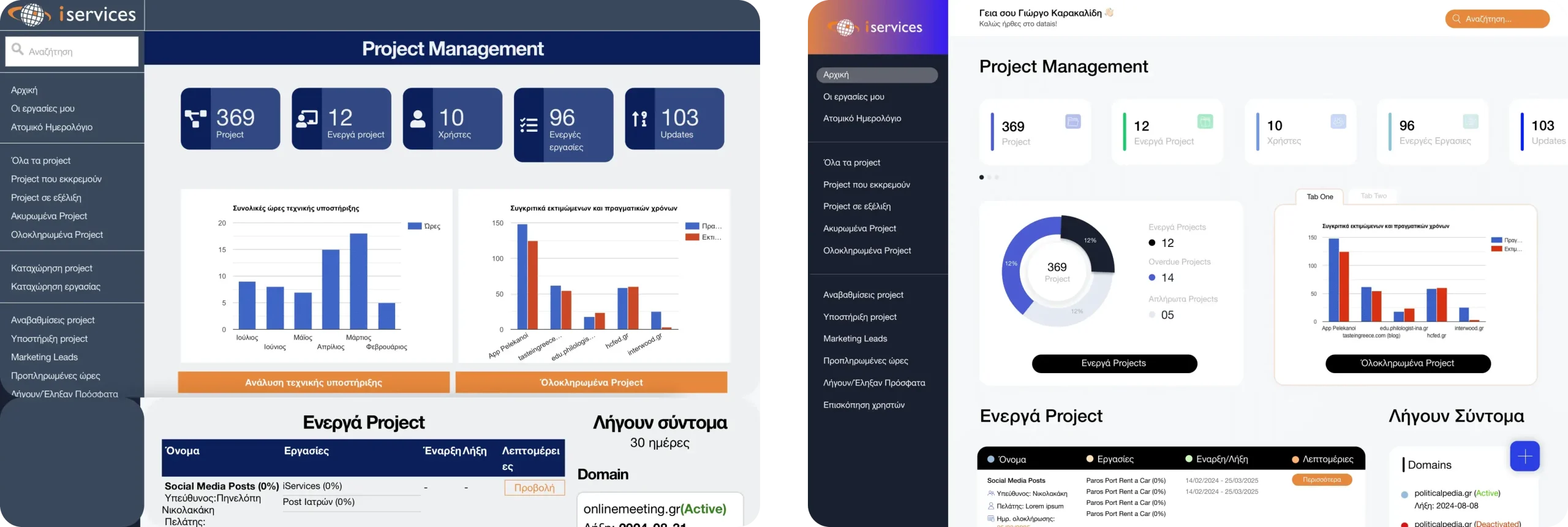
Weak data visualization, no clear dashboards or KPIs.
Event and meeting tracking limited only to managers.
The goals
Modernize the UI/UX design with clear, accessible, and consistent visuals.
Simplify navigation so employees can find tools without friction.
Redesign the project creation process to reduce errors and frustration.
Automate repetitive tasks to save time and improve efficiency.
Introduce dashboards and data visualization for better decision-making.
Make event and meeting tracking visible to the entire team, not just managers.
Before & After
Design Process - Design Thinking Framework
We followed the Empathize – Define – Ideate – Prototype – Test framework.
User-Centric Approach
From start to finish, the design process was user centered. Every decision from defining the problem to building wireframes and testing prototypes was guided by the users’ pain points and goals. We worked to ensure the CMS was not just functional, but accessible, equitable and easy to use for clients with varying levels of technical knowledge.
Empathize
UX Audit: Reviewed the old app to identify friction in project creation, navigation, and task tracking.
Stakeholder Interviews: Spoke with managers to understand workflows and pain points.
Employee Feedback: Collected input from daily users about frustrations and needs.
Research & Empathy
We applied a user-centric approach. Both managers and employees were considered equally important.
Qualitative: One-on-one interviews with team members to uncover daily frustrations.
Quantitative: Internal surveys to identify the most common pain points.
Insights:
Employees were frustrated by confusing navigation.
Managers felt overwhelmed handling project creation and schedule visibility alone.
Lack of automation slowed down work.
Teams needed a clearer picture of overall progress.
This mix of methods gave us both stories and numbers. A full picture of the problem.
Personas
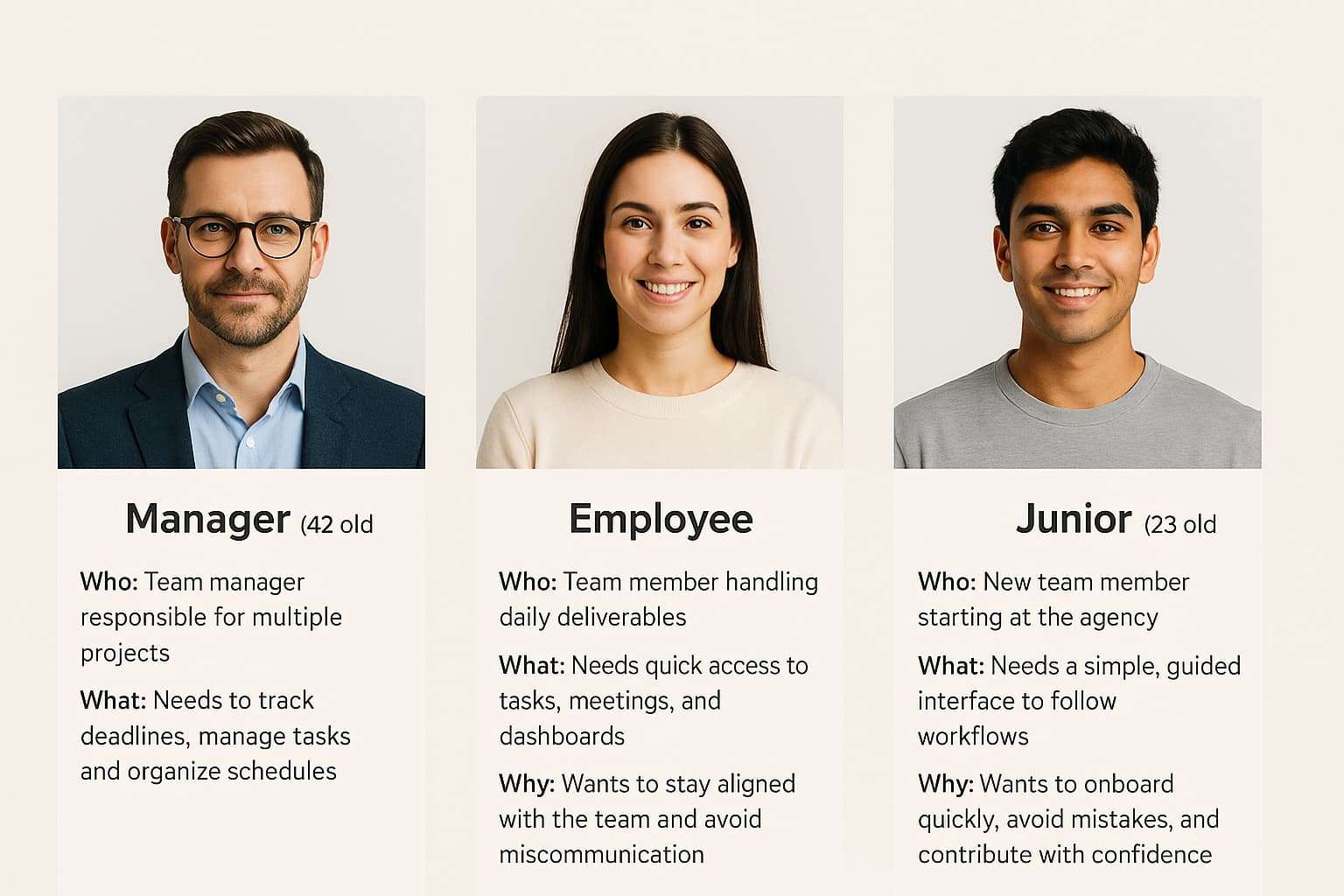
Persona 1 – The Manager
- Who: 42 years old, team manager responsible for overseeing multiple projects.
- What: Needs to track deadlines, manage tasks, and organize team schedules.
- Why: Wants to reduce time spent on repetitive tasks and make project data transparent for the whole team.
Persona 2 – The Employee
- Who: 29 years old, team member handling daily tasks and deliverables.
- What: Needs quick access to projects, meetings, and clear dashboards.
- Why: Wants a simple, intuitive tool to stay aligned with the team and avoid miscommunication.
Persona 3 – The Junior
- Who: 23 years old, junior team member just starting at the agency.
- What: Needs a clear, guided interface to understand workflows and follow tasks.
- Why: Wants to onboard quickly, avoid mistakes, and learn the team’s processes without extra stress.
user stories
- As a manager, I want to automate repetitive status updates and reminders so that I can save time and focus on high-level planning.
As an employee, I want to see upcoming meetings and deadlines in one dashboard so that I can stay aligned with the team and organize my tasks better.
As a junior team member, I want a simple, guided project creation flow so that I can contribute without making mistakes or slowing down the team.
Ideate
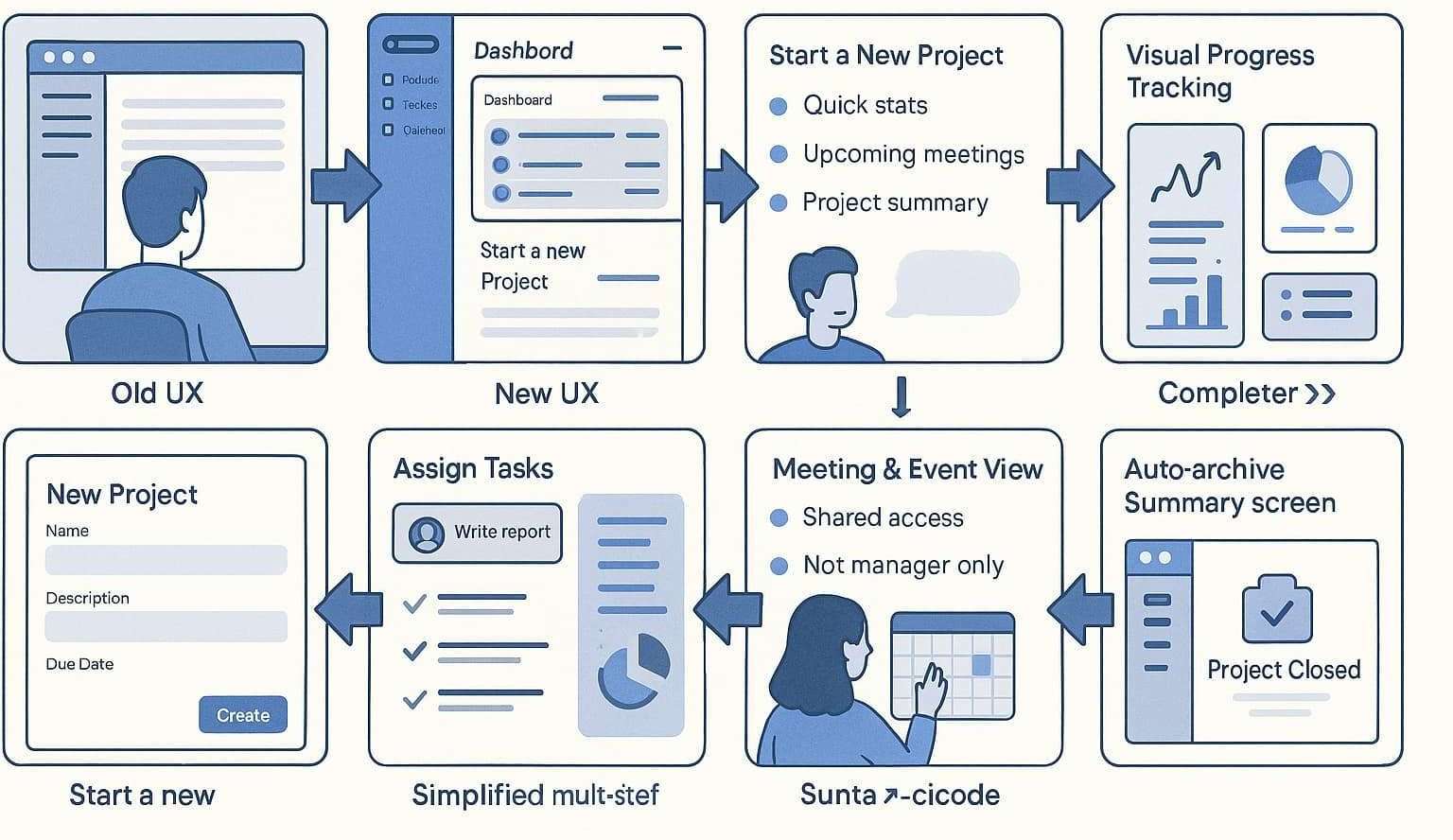
At this stage, we focused on generating possible solutions. Since the main problems were clear — outdated design, confusing navigation, and inefficient project creation — we organized short brainstorming sessions with the team.
We sketched out multiple flows for how managers and employees could:
Create and manage projects more easily.
View upcoming meetings and deadlines without extra communication.
Reduce manual tasks through automation.
Each idea was compared against our personas and their pain points. For example, the junior persona required a guided flow to avoid mistakes, while the manager persona needed automation to reduce repetitive work. Accessibility and simplicity were always at the center of the discussion.
To validate directions, we created A/B concept sketches and tested which flows felt most intuitive. The goal wasn’t just to make the platform functional, but equitable — ensuring that employees of all levels, regardless of digital skills, could use it with confidence.
Design
Moving from ideas to concrete design, we started with information architecture to define a clear navigation structure. Core areas like “Projects,” “Tasks,” and “Meetings” were prioritized, while redundant or confusing sections from the old app were removed.
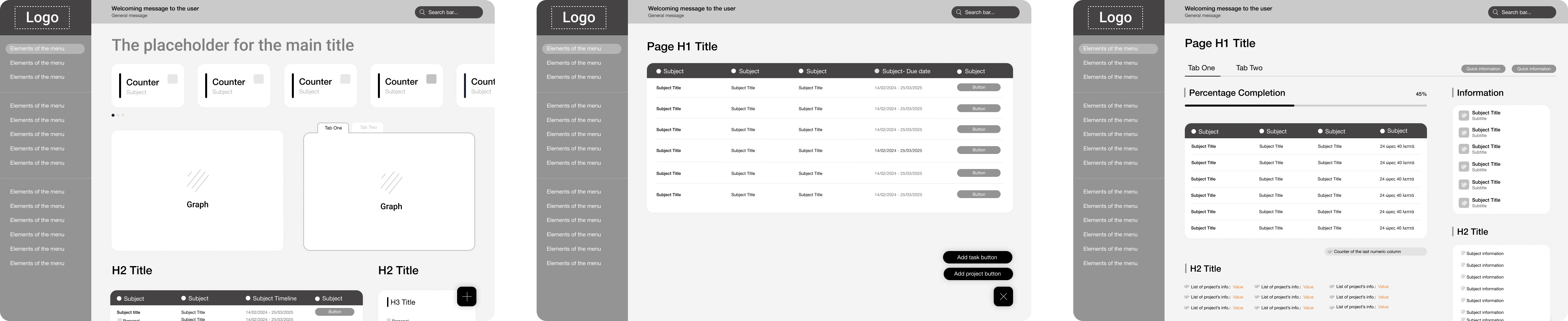
Low-fidelity wireframes were created first to test layouts and task flows quickly. This allowed us to validate early concepts with employees before investing time in high-fidelity visuals.
After feedback rounds, we developed high-fidelity mockups, applying the iServices branding, refreshed color palette, and a modern visual hierarchy. These mockups were tested internally through A/B testing on key screens like the dashboard and project creation flow.
The design stage was not about “making it look pretty.” It was about clarity, reducing cognitive load, and building trust. Every visual choice was connected back to usability and the real needs of the team.
Wireframes and Design direction
The design direction was not arbitrary — it was grounded in the insights collected during earlier steps.
Clarity over complexity: Employees needed a tool that didn’t overwhelm them. The focus was on showing only the essentials (tasks, projects, schedules) in a clean layout.
Accessibility and equity: From the start, we aimed for a platform usable by everyone, regardless of experience. Large buttons, step-by-step flows, and plain language labels supported inclusivity.
- Reducing cognitive load: Since many users felt stressed navigating the old app, we introduced dashboards with summaries instead of scattered information.
Consistency with brand: Visual design aligned with iServices’ identity but was adapted to feel more like a modern productivity app.
Testing feedback: Early usability tests revealed confusion in navigation, so we simplified the menu into three main categories: Projects, Tasks, and Meetings. This came directly from user pain points.
By grounding design decisions in user research and business goals, we ensured the final product wasn’t just visually modern but functional, reassuring, and user-centered.
Competitor and Markeyo audit
The digital agency landscape is becoming increasingly competitive, with teams managing growing volumes of client projects, fast-paced deliverables and cross-functional collaboration. As agencies expand their service offerings ranging from web and app development to performance marketing, the need for efficient internal operations becomes critical.
Yet, many agencies still rely on fragmented tools, manual processes or generic project management platforms that fail to address their unique workflows. This often leads to miscommunication, bottlenecks and reduced productivity especially in dynamic, multi-disciplinary environments.
For iServices, this presented a strategic opportunity: to build an internal platform tailored specifically to the needs of a digital agency. Datais was developed as a centralized, purpose built tool to help teams streamline task management, improve transparency and support more agile project execution.
By aligning internal operations with the speed and complexity of the digital services market, iServices not only improved its own efficiency but also reinforced its commitment to innovation and excellence in this industry.
Test & Launch
Alpha Testing: Conducted internally with employees and stakeholders to validate flows and ensure alignment with daily workflows.
Beta Testing: Released to employees across roles (managers, employees, juniors).
KPIs Collected: Usability, task completion rates, navigation success and overall satisfaction.
Project's Outcomes
65% faster task creation after redesign.
50% fewer navigation issues, based on employee feedback.
60% increase in team visibility thanks to role-based access.
35% better understanding of progress, based on internal surveys.
Manager satisfaction with team coordination and scheduling.